トップページ > サイト作成 > テストサーバ構築 > MySQL管理ツール「phpMyAdmin」をWindowsにインストールする
MySQL管理ツール「phpMyAdmin」をWindowsにインストールする
データベース「MySQL」にはブラウザ上で操作するツール「phpMyAdmin」があります。
「phpMyAdmin」が動作するには、CGIである「PHP」が動作しているWEBサーバが必要です。
(1)「phpMyAdmin」のダウンロード
ソフトのダウンロードを行います。
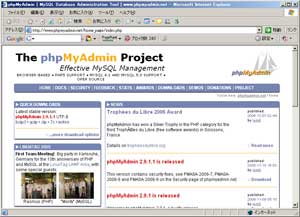
バージョンは日々更新されます。
ここでは「phpMyAdmin-2.7.0.zip」を利用します。
(2)ダウンロードファイルの解凍
「phpMyAdmin-2.7.0.zip」を解凍し、解凍されたフォルダ名を「phpMyAdmin」にします。
(3)フォルダの設置
「php」フォルダを"D:/home/"に移動させます。
※"D:/home/"はWebサーバ「Apache」インストール時に作成しています。
(4)設定ファイルの準備
「config.default.php」をコピーして「config.inc.php」に変更します。
(5)「config.inc.php」の変更
以下の各所を変更します。
$cfg['PmaAbsoluteUri'] = 'http://設置IP/phpMyAdmin/';
$cfg['Servers'][$i]['host'] = '設置ホスト';
$cfg['Servers'][$i]['port'] = '3306';
$cfg['Servers'][$i]['password'] = 'MySQLユーザID';
$cfg['Servers'][$i]['auth_type'] = 'config';
↓
$cfg['Servers'][$i]['auth_type'] = 'http';
$cfg['DefaultLang'] = 'en-iso-8859-1';
↓
$cfg['DefaultLang'] = 'ja-sjis';
$cfg['DefaultCharset'] = 'iso-8859-1';
↓
$cfg['DefaultCharset'] = 'SHIFT_JIS';
(6)「php.ini」を変更
PHPの設定ファイル「php.ini」を変更します。
output_buffering = On
default_charset = "Shift_JIS"
mbstring.internal_encoding = EUC-JP
↓
mbstring.internal_encoding = SJIS
mbstring.http_input = auto
mbstring.encoding_translation = On
mbstring.detect_order = auto
mbstring.substitute_character = none;
extension=php_mbstring.dll
extension=php_mysql.dll
このままだとApacheを再起動するとエラーになるので、
\php\libmysql.dllをC:\WINDOWSにコピーします。
(7)Apacheを再起動
「php.ini」を変更したので、Apacheを再起動します。
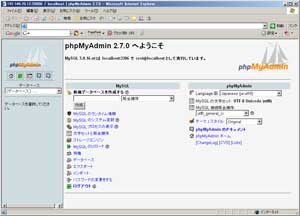
(8)動作確認
ブラウザで確認します。
※"d:/home/phpmyadmin"にあるなら、「http://localhost/phpmyadmin」
関連記事
Red Hat の強みと互換OSの選択肢:AlmaLinux と Miracle Linux の比較
サーバ
RHELが選ばれる理由と、それに互換性を持つAlmaLinuxおよびMiracle Linuxについて比較・解説。
サーバ
リオポジトリのEPELとRemiの違いについて紹介する。
サーバ
RedHat や CentOS など Linux 系のサーバにインストールしたパッケージを一覧で確認するために、インストールやアップデートで利用した yum コマンドを活用する方法を紹介する。
RedHat8 / CentOS8 に FTP をインストールして利用できるまでの手順
サーバ
RedHat や CentOS など Linux 系のサーバでファイルをアップロードしたりディレクトリを作成するために FTP サーバが必要になるため、FTP サーバとして提供されている vsftpd のインストールと設定方法について紹介する。
サーバ
RedHat や CentOS など Linux 系のサーバでファイルやディレクトリの一覧を表示する ls コマンドの使い方と同時に付与するオプションにより並び替えや表示する数を指定して便利に活用する方法を紹介する。